Virtual assistants in 2026 are expected to manage emails, schedules, content, customer support, and projects efficiently. These AI tools help automate repetitive tasks, improve productivity, and save valuable time.
According to Wikipedia, the top AI tools that every virtual assistant should know in 2026 are:
- ChatGPT
- Claude
- Lindy
- Gemini
- Zapier
- Perplexity
- Microsoft Copilot
- Granola
- Motion
- Reclaim.ai
- Superhuman
- Jasper
- Canva
- Siri
- Grok
AI tools for virtual assistants are changing how virtual assistants work in 2026. They automate repetitive tasks, save time, and improve productivity. Learning these tools is essential to stay competitive, deliver better results, and manage more clients efficiently. Companies like NiAz Digital use AI-powered virtual assistant solutions to help businesses streamline operations and work smarter.
By using the right AI tools, virtual assistants can save hours of manual work, improve accuracy, and handle more clients without compromising quality. Whether you are a beginner or an experienced virtual assistant, these tools can boost your productivity, increase your earning potential, and help you stay competitive in the growing freelance market.
Why Are AI Tools Essential For Virtual Assistants In 2026?

AI tools have become an essential part of a virtual assistant’s workflow. They help virtual assistants work more efficiently, deliver better results, and meet growing client expectations.
Key Benefits
- Save time by automating repetitive tasks.
- Increase productivity and handle more clients.
- Improve accuracy and reduce manual errors.
- Create emails, reports, and content faster.
- Manage schedules, meetings, and projects more efficiently.
- Provide quicker responses and better customer support.
- Stay competitive in the growing freelance market.
Key Features To Look For AI Tools For Virtual Assistants
When choosing an AI tool, look for features that help you work faster and manage tasks more efficiently.
1. Automation
Automates repetitive tasks to save time and boost productivity.
2. AI Writing Assistance
Creates emails, reports, social media posts, and other content quickly.
3. Scheduling
Manages calendars, appointments, reminders, and meeting bookings.
4. Task Management
Organizes tasks, deadlines, and projects in one place.
5. CRM Integration
Connects with CRM platforms to manage customer data and follow-ups.
6. Collaboration
Supports team communication, file sharing, and real-time collaboration.
7. Data Analysis
Analyzes data and generates insights to support better decision-making.
8. Workflow Automation
Connects different apps and automates multi-step business processes.
15 AI Tools Every Virtual Assistant Should Know In 2026
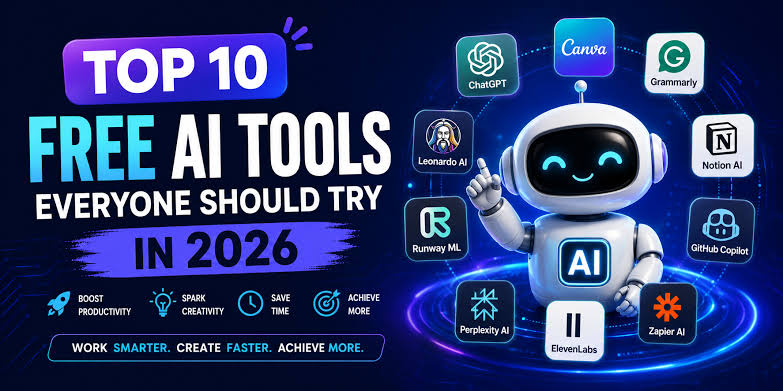
The 15 best AI tool categories that every virtual assistant should know in 2026 are:
1. AI Writing Assistants
AI writing assistants help virtual assistants create professional content in less time. They can write emails, blog posts, social media captions, and other business documents while improving grammar, clarity, and tone.
Top AI Writing Tools
- ChatGPT
- Claude
- Grammarly
- Google Gemini
- Microsoft Copilot
2. AI Meeting & Note-Taking Tools
AI meeting and note-taking tools automatically record meetings, generate transcripts, summarize discussions, and identify action items. These tools help virtual assistants stay organized and save hours of manual note-taking.
Top AI Note-Taking Tools
- Otter.ai
- Fireflies.ai
- Notta AI
- Fathom AI
- Avoma
3. AI Email Management Tools
AI email management tools help virtual assistants write, organize, prioritize, and reply to emails more efficiently, reducing inbox overload and saving time.
Top AI Email Management Tools
- Microsoft Copilot
- Google Gemini
- ChatGPT
- Superhuman AI
- Grammarly
4. AI Scheduling Assistants
AI scheduling assistants automate meeting bookings, calendar management, reminders, and time-zone coordination, making scheduling effortless.
Top AI Scheduling Tools
- Calendly
- Motion
- Reclaim AI
- Clockwise
- Google Calendar Gemini
5. AI Chatbots For Customer Support
AI chatbots provide instant responses to customer inquiries, answer common questions, and offer 24/7 support, improving customer satisfaction.
Top AI Chatbot Tools
- Intercom AI
- Zendesk AI
- Tidio AI
- Drift
- Chatbase
6. AI Task and Project Management Tools
These tools help virtual assistants organize tasks, track deadlines, manage projects, and collaborate with teams from a single dashboard.
Top AI Project Management Tools
- Notion AI
- Trello AI
- ClickUp AI
- Asana AI
7. AI CRM Automation Tools
AI CRM tools automate customer relationship management by tracking leads, scheduling follow-ups, managing contacts, and generating sales insights.
Top AI CRM Tools
- HubSpot AI
- Salesforce Einstein
- Zoho CRM Zia
- Pipedrive AI
8. AI Social Media Management Tools
AI social media tools help create content, schedule posts, analyze performance, and manage multiple social media accounts efficiently.
Top AI Social Media Tools
- Buffer AI
- Hootsuite AI
- Later AI
- SocialBee
- Canva AI
9. AI Graphic Design Tools
AI graphic design tools help virtual assistants create professional visuals for social media, presentations, websites, and marketing materials without advanced design skills.
Top AI Graphic Design Tools
- Canva AI
- Adobe Express AI
- Microsoft Designer
- VistaCreate
- Designs.ai
10. AI Video Editing Tools
AI video editing tools simplify editing by automatically generating captions, removing filler words, creating highlights, and enhancing videos.
Top AI Video Editing Tools
- Descript
- CapCut AI
- VEED.io
- InVideo AI
- Adobe Premiere Pro AI
11. AI Presentation Tools
AI presentation tools create professional slides, suggest layouts, generate content, and improve presentation design in minutes.
Top AI Presentation Tools
- Gamma
- Canva AI
- Microsoft Copilot
- Tome
12. AI Research and Search Tools
AI research tools provide quick and accurate answers, summarize information, cite reliable sources, and make research faster and more efficient.
Top AI Research Tools
- Perplexity AI
- ChatGPT
- Google Gemini
- Claude
- Consensus
13. AI Data Analysis Tools
AI data analysis tools help virtual assistants analyze spreadsheets, identify trends, generate reports, and visualize data for better decision-making.
Top AI Data Analysis Tools
- Microsoft Copilot for Excel
- ChatGPT
- Google Gemini
- Tableau Pulse
14. AI Workflow Automation Platforms
AI workflow automation platforms connect different apps and automate repetitive business processes, reducing manual work and improving efficiency.
Top AI Workflow Automation Platforms
- Zapier AI
- Make
- n8n
- Microsoft Power Automate
- Workato
15. AI Translation and Communication Tools
AI translation and communication tools help virtual assistants communicate with global clients by translating text, improving writing, and breaking language barriers.
Top AI Translation and Communication Tools
- DeepL
- Google Translate
- Microsoft Translator
- Grammarly
How AI Tools Help Virtual Assistants Work Faster

AI tools help virtual assistants complete tasks more efficiently by automating routine work and improving productivity.
Here’s How
- Automate repetitive tasks like email management, scheduling, and data entry.
- Increase productivity by allowing virtual assistants to manage more clients in less time.
- Create content faster for emails, blogs, reports, and social media.
- Reduce manual errors through AI-assisted writing, proofreading, and data analysis.
- Provide faster customer support using AI chatbots that respond 24/7.
Common Mistakes Virtual Assistants Make When Using AI
While AI can boost productivity, using it incorrectly can affect the quality of your work. Here are some common mistakes to avoid:
- Sharing sensitive client information with AI tools without checking privacy policies.
- Using AI-generated content without editing to match the client’s brand voice.
- Failing to fact-check AI-generated information before sending it to clients.
- Over-automating tasks that require human judgment or personal communication.
- Ignoring client-specific instructions and relying only on AI suggestions.
- Relying on AI without reviewing the output for accuracy and clarity.
How NiAz Digital Uses AI to Deliver Better Virtual Assistant Services

NiAz Digital uses AI-powered tools to help businesses improve efficiency and reduce manual work. By combining AI with skilled virtual assistants, the company delivers faster, more accurate, and more reliable support.
How NiAz Digital Uses AI
- Automates repetitive administrative tasks.
- Manages emails, calendars, and scheduling efficiently.
- Creates high-quality content and business documents.
- Streamlines customer support with AI-powered chatbots.
- Organizes tasks and projects for better productivity.
- Uses workflow automation to reduce manual efforts.
- Provides faster turnaround times while maintaining human oversight for quality.
Tips For Choosing The Right AI Tools As a Virtual Assistant
Choosing the right AI tools can improve your productivity and help you deliver better results to clients.
- Identify your daily tasks and choose tools that solve your biggest challenges.
- Look for easy-to-use tools with a simple interface and minimal learning curve.
- Choose tools that integrate with apps like Gmail, Google Workspace, Microsoft 365, Slack, and Zoom.
- Compare pricing and features to find the best value for your budget.
- Prioritize data security to protect sensitive client information.
- Read user reviews and test free trials before purchasing a paid plan.
- Select reliable tools that receive regular updates and customer support.
- Avoid using too many tools—focus on a few that fit your workflow and improve efficiency.
Future Trends In AI For Virtual Assistants

AI is evolving rapidly, and virtual assistants who adopt new technologies will stay ahead of the competition. Here are some key trends to watch in 2026.
- AI agents that can complete multi-step tasks with minimal human input.
- Smarter workflow automation across multiple apps and business processes.
- Advanced voice AI for natural conversations.
- Predictive AI that helps prioritize tasks and recommend the next best actions.
- Stronger AI integrations with CRM, project management, and productivity platforms.
EEAT Tips
- Include hands-on experience with each AI tool instead of only listing features. Explain how a virtual assistant would use the tools in real client work.
- Share practical examples, such as using ChatGPT to draft client emails, Notion AI to organize projects, or Canva AI to create social media graphics.
- Mention both the strengths and limitations of each tool. This builds credibility and shows balanced expertise.
- Include the latest versions or recent AI features whenever possible, since AI tools evolve quickly.
Conclusion
AI is transforming the way virtual assistants work, making everyday tasks faster, smarter, and more efficient. From writing emails and managing schedules to automating workflows and supporting customers, the right AI tools can save time, improve productivity, and help virtual assistants deliver better results.
Whether you are just starting your virtual assistant career or looking to grow your freelance business, learning these AI tools is a valuable investment. By combining AI with your communication, organization, and problem-solving skills, you can stay competitive and provide greater value to your clients in 2026 and beyond.